Custom Toggles In Ionic Framework Apps
Published
Have you ever needed a custom toggle in your Ionic Framework app? I was faced with creating one today.
After poking around in the Ionic SCSS source for toggles and some experimentation, I came up with a decent solution.
You can dabble with it here : http://play.ionic.io/app/2e90570edb82
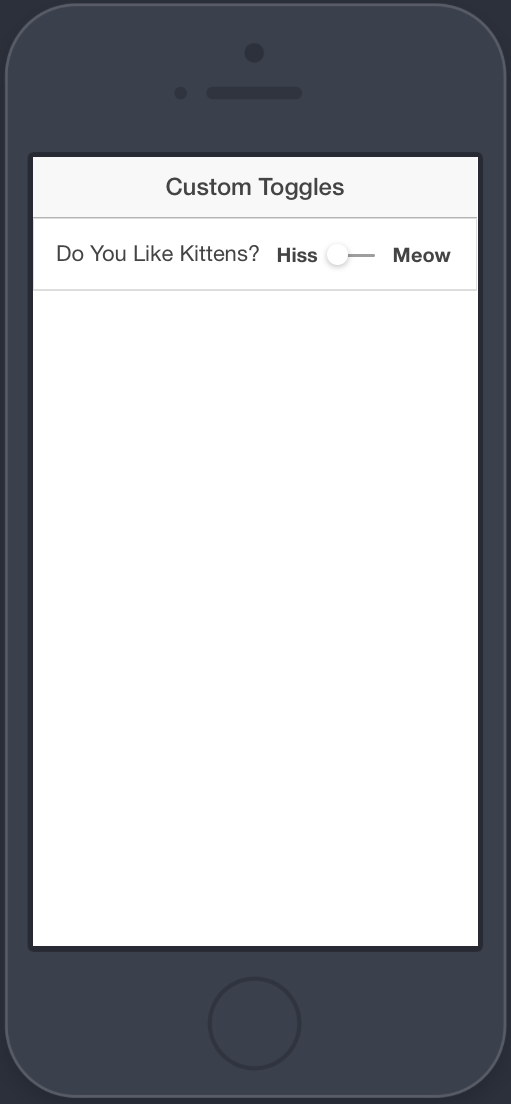
.label-off {
  display: inline;
  position: relative;
  top: 4px;
  left: -75px;
  font-weight: 900;
}

.label-on {
  display: inline;
  position: relative;
  top: 4px;
  right: 10px;
  margin-left: -15px;
  font-weight: 900;
}

.item-toggle .toggle {
  top: 11px;
  right: 8px;
}


.toggle-small  .track {
  border: 0;
  width: 34px;
  height: 2px;
}

.toggle-small  .handle {
    top: 12px;
    left: 4px;
    width: 15px;
    height: 15px;
    box-shadow: 0 2px 5px rgba(0, 0, 0, .25);
  }

.toggle-small  input:checked + .track .handle {
  -o-transform: translate3d(22px, 0, 0);
  -ms-transform: translate3d(22px, 0, 0);
  -moz-transform: translate3d(22px, 0, 0);
  -webkit-transform: translate3d(22px, 0, 0);
  transform: translate3d(22px, 0, 0);
  }

.toggle-small .item-toggle .toggle {
  top: 19px;
}As always, I’m sure there’s a better way to do this. If you’ve got a great solution, let me know on Twitter so I can link to it.